Managing Technological Density
Transforming increasingly complex control room technology into an organized, accessible operator environment that preserves valuable workspace, reduces cognitive friction, and supports sustained performance throughout continuous operations.
THE CHALLENGE
More technology within a finite space
As control rooms become increasingly technology intensive, a growing concentration of monitors, communications systems, processors, input devices, peripherals, and specialized equipment converges at the operator position. Each component may serve an essential operational purpose, but collectively they compete for finite console space while increasing the visual complexity and cognitive demands placed on the operator.
Technology Converges at the Workstation
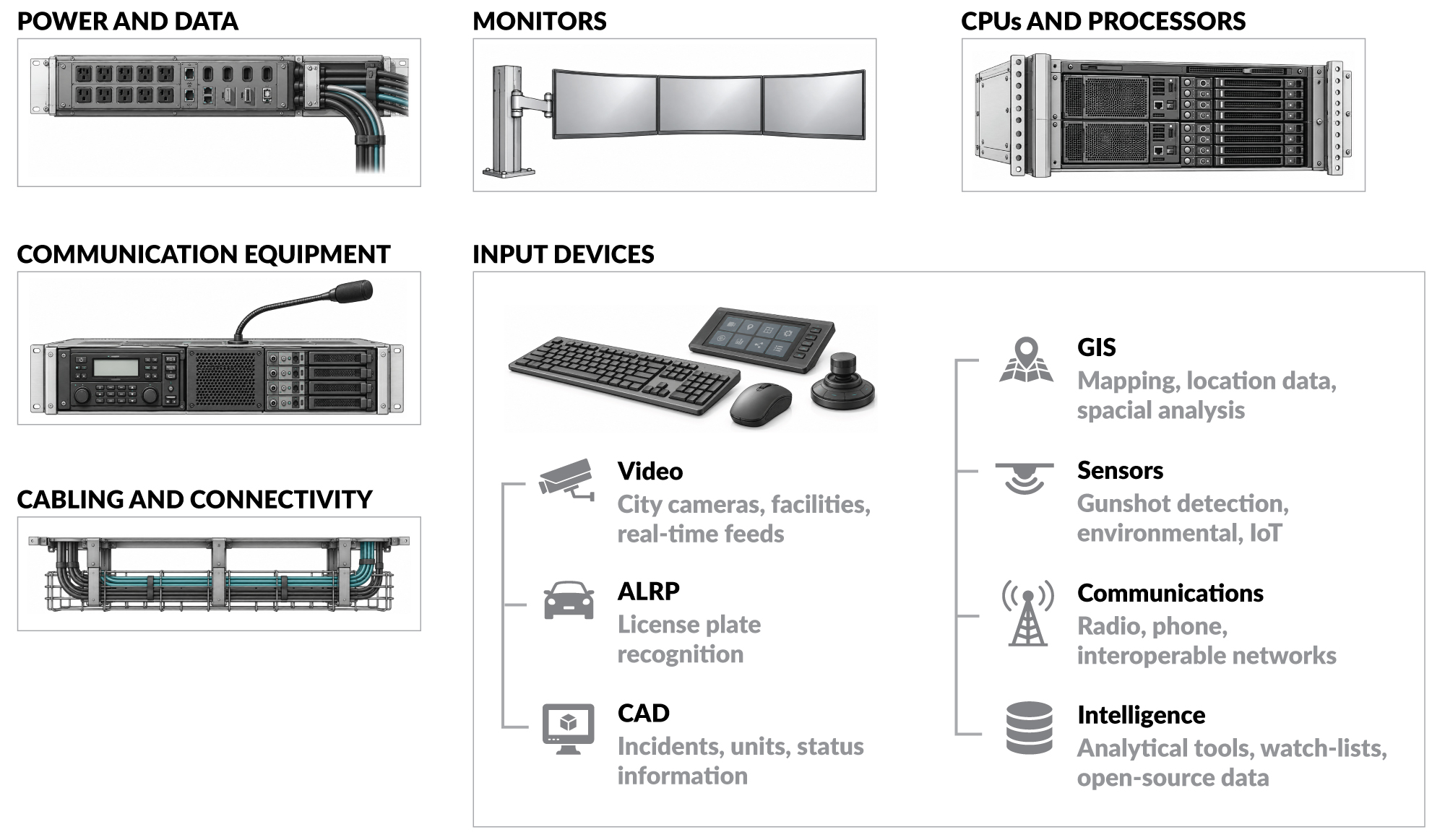
Technological density refers to the concentration of monitors, processors, communication systems, input devices, peripherals, power, data, and cabling within the finite physical space of the console. As the quantity and interdependence of these systems increase, so does the difficulty of accommodating them without compromising usable work surface, equipment access, operator movement, or the clarity of the visual environment.
The Cognitive Cost of Unmanaged Technology
When technological density is not properly managed, essential systems can compete for space, create physical and visual disorder, and make information more difficult to locate and interpret. The operator must then devote additional attention to navigating equipment, searching across displays, and compensating for a poorly organized physical interface. This unnecessary cognitive effort draws attention away from the critical events, communication, and decisions that should remain central to the operator’s work.
THE OPERATIONAL CONSEQUENCES
When density becomes disorder
A console may technically accommodate every required system yet still fail to support the operator and the mission critical tasks the environment exists to perform. Monitors, input devices, communications controls, processors, and peripherals that compete for work surface, obstruct movement, or complicate access introduce friction into even routine interactions. As video, mapping, sensor feeds, system alerts, communications, and operational data converge at the console, poorly planned cable management compounds the problem by consuming usable space, restricting equipment placement, complicating maintenance, and creating additional physical and visual disorder.
The arrangement of technology influences human performance
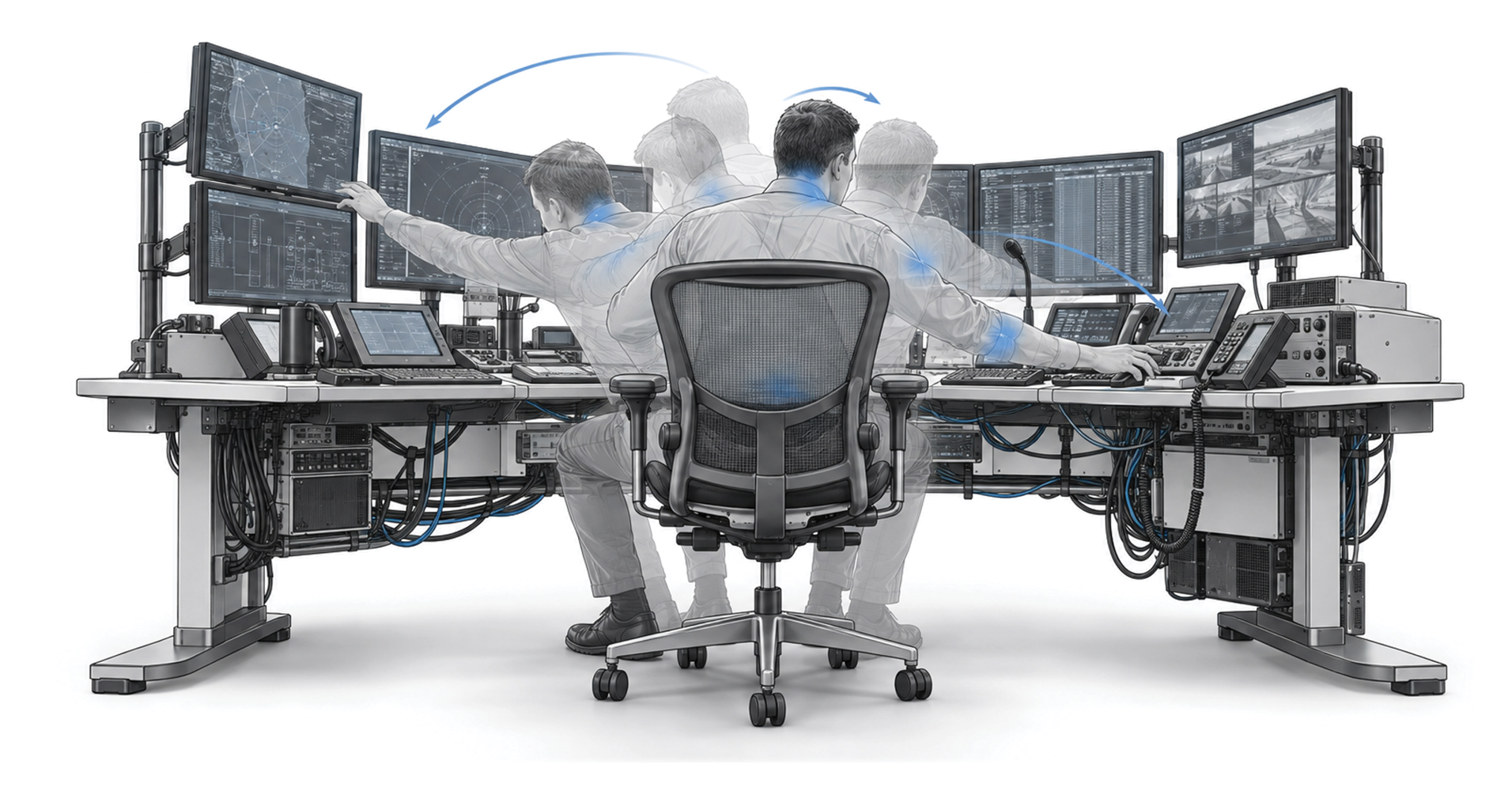
The conditions created by poor technology managment may appear minor, but their effects accumulate throughout extended shifts. Reaching around equipment, navigating poorly routed cabling, moving between disconnected controls, and working within a constrained surface area require repeated physical and mental adjustments. The operator is forced to compensate for the arrangement of the technology, increasing physical effort and directing attention toward the interface rather than mission critical tasks.
Integration, Not Mere Accommodation
Managing technological density therefore requires precise ergonomic engineering that accounts for operator needs, current system requirements, and the continuing evolution of control room technology. The measure of success is not how much technology can be physically contained within the console, but how effectively each system is integrated into a clear, accessible, and functional operator environment.
When sound ergonomic principles and thoughtfully managed technology are integrated into a coordinated whole, the console can support technological complexity without imposing additional cognitive or physical demands on the operator, allowing attention to remain focused on mission critical tasks, communication, and decision making.
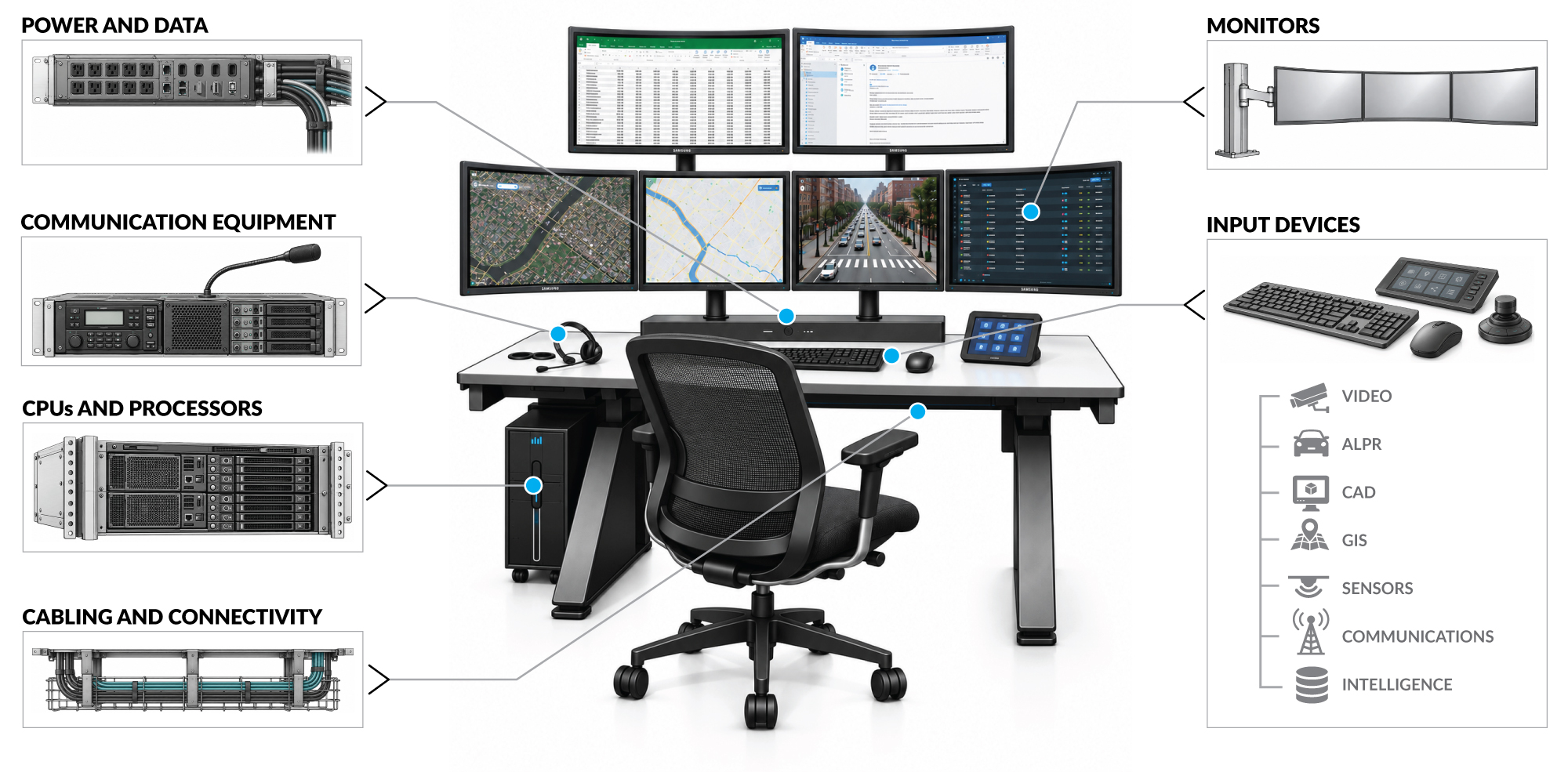
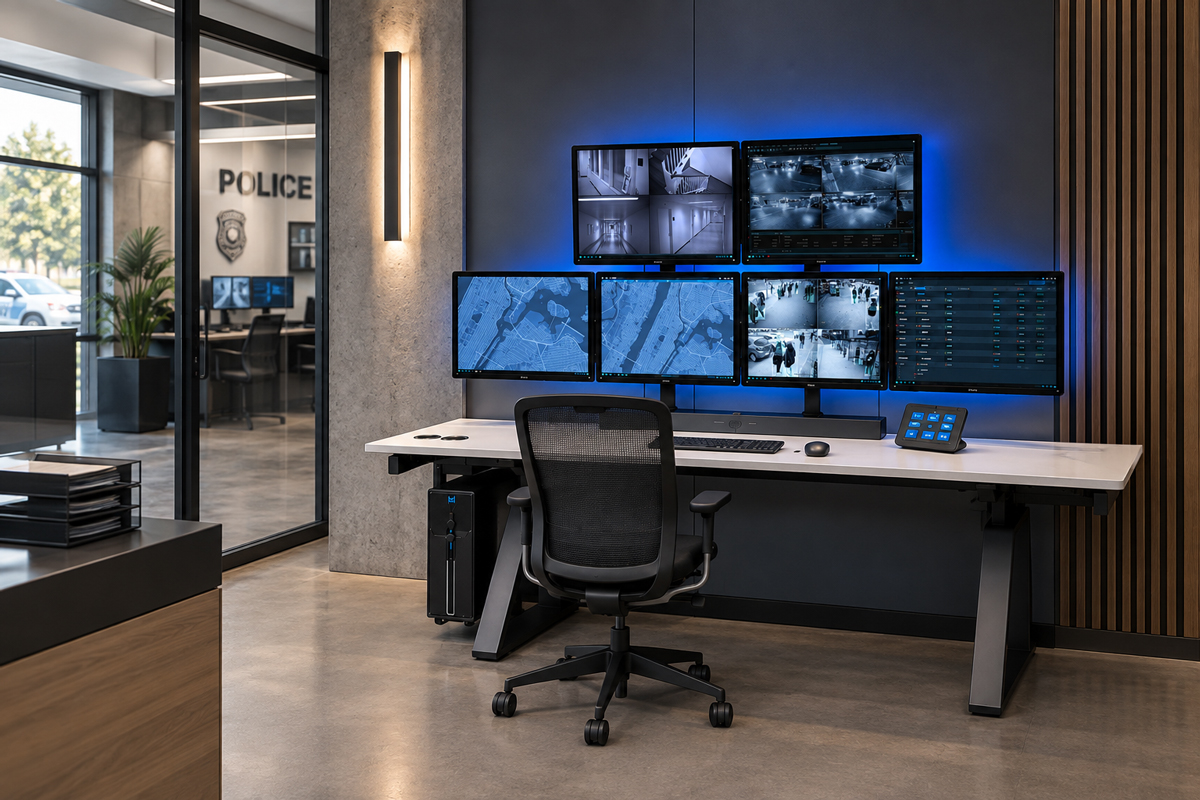
A complex array of surveillance feeds, mapping systems, communications data, and operator controls is organized within one ergonomically engineered console, keeping critical information accessible while preserving a clear and functional workspace. This integration allows technological density to support the mission without adding unnecessary physical or cognitive demands, helping the operator remain focused on situational awareness, communication, and critical decision making.
THE CONSOLE AS AN ORGANIZING FRAMEWORK
Our console transforms a collection of individual systems into one coordinated operational environment
Every Evolve/RedRick console is customized around the technological requirements of the control room, the individual ergonomic needs and physical stressors of its operators, and the spatial conditions in which the console must function.

Ergonomic integrity guides every engineering decision within the console. Work surface dimensions, depth, contour, monitor capacity, equipment placement, connectivity, device storage, and cable pathways are all considered as an integrated system, allowing complex technology to be accommodated without reducing usable operator space, restricting access, or disrupting the physical and visual ergonomic relationships essential to sustained performance.

This coordinated approach provides the framework for engineering a console that integrates ergonomic, technological, operational, and spatial requirements into one cohesive system. Monitors are supported above the work surface and can be easily postioned anywhere along the desktop surface, equipment is placed according to access and service requirements, and power, data, and cabling are routed through dedicated pathways that are easilty accessed but out of sight.
The operator retains a clear and functional workspace, with all the benefits of a properly engineered ergonomic environment even as the amount of technology increases.

How Technological Complexity Is Organized Within the Console
Customized Console Geometry
Work surface size, depth, shape, and equipment locations are configured around the room, technology, workflow, organizational needs, and operator requirements.
Organized Monitor Support
ComfortView™ accommodates and supports substantial, complex monitor arrays while preserving valuable work surface and maintaining a visually coherent console.
Integrated Device Managment
Processors, peripherals, controls, and frequently used devices are thoughtfully positioned to support accessibility, preserve usable workspace, and facilitate efficient interaction without creating unnecessary interference.
Structured Cable Pathways
Power, data, and communications cabling are organized within the console but kept out of sight to improve access, reduce visual and physical clutter, simplify maintenance, and support future service and technology requirements.
ADAPTABILITY
Engineered beyond the current technology cycle
The structural service life of a well engineered console often extends far beyond the technology it initially supports. Displays become larger and more advanced, monitor configurations are revised, processors and communications equipment are replaced, and entirely new devices are introduced. A console engineered only around present requirements can therefore become functionally obsolete while its underlying structure remains capable of years of continued service.

Evolve/RedRick consoles are configured with this longer operational horizon in mind. Adaptable ComfortView™ monitor support, monitor handles to allow for ease-of-use for future touch screens, accessible cable management, flexible equipment integration, and purposefully planned work surfaces allow technology to evolve without compromising ergonomic integrity, usable operator space, or the physical and visual relationships essential to sustained performance.

This capacity for change protects the value of the original investment and allows the console to remain operationally relevant as systems, equipment, and information demands evolve.
Rather than serving as a fixed response to one moment in time, the Evolve/RedRick console provides a durable ergonomic foundation for continuing technological advancement.
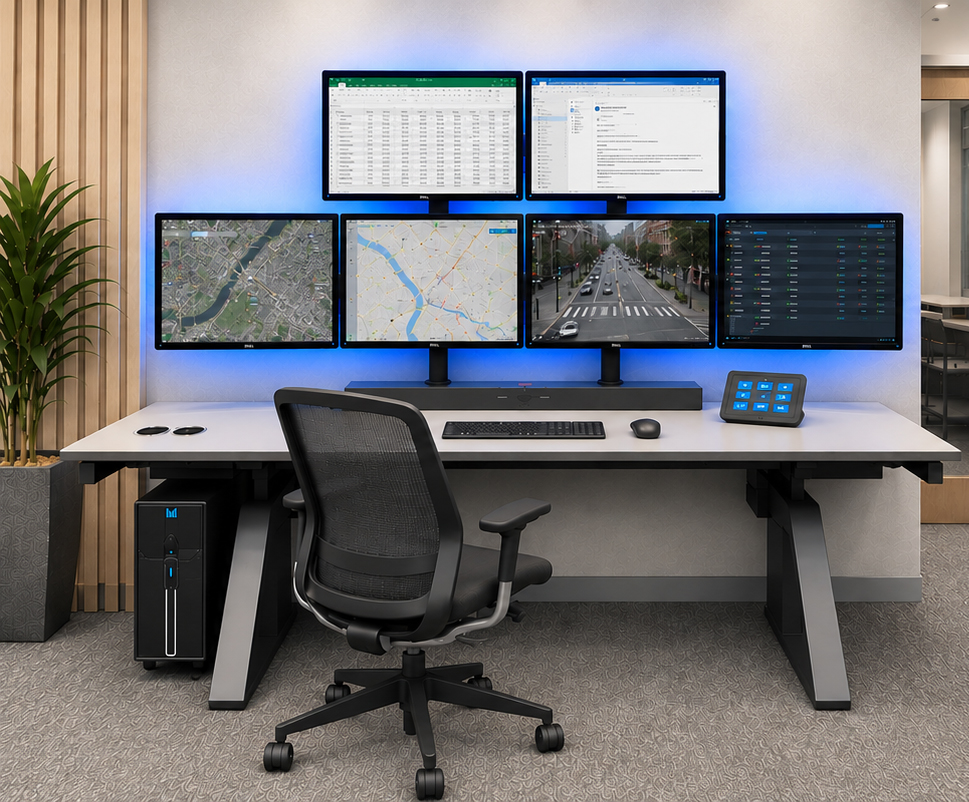
An Evolve/RedRick console configured for current operational requirements, integrating a complex multi monitor array, essential control devices, and processor support while preserving a clear and functional operator workspace.
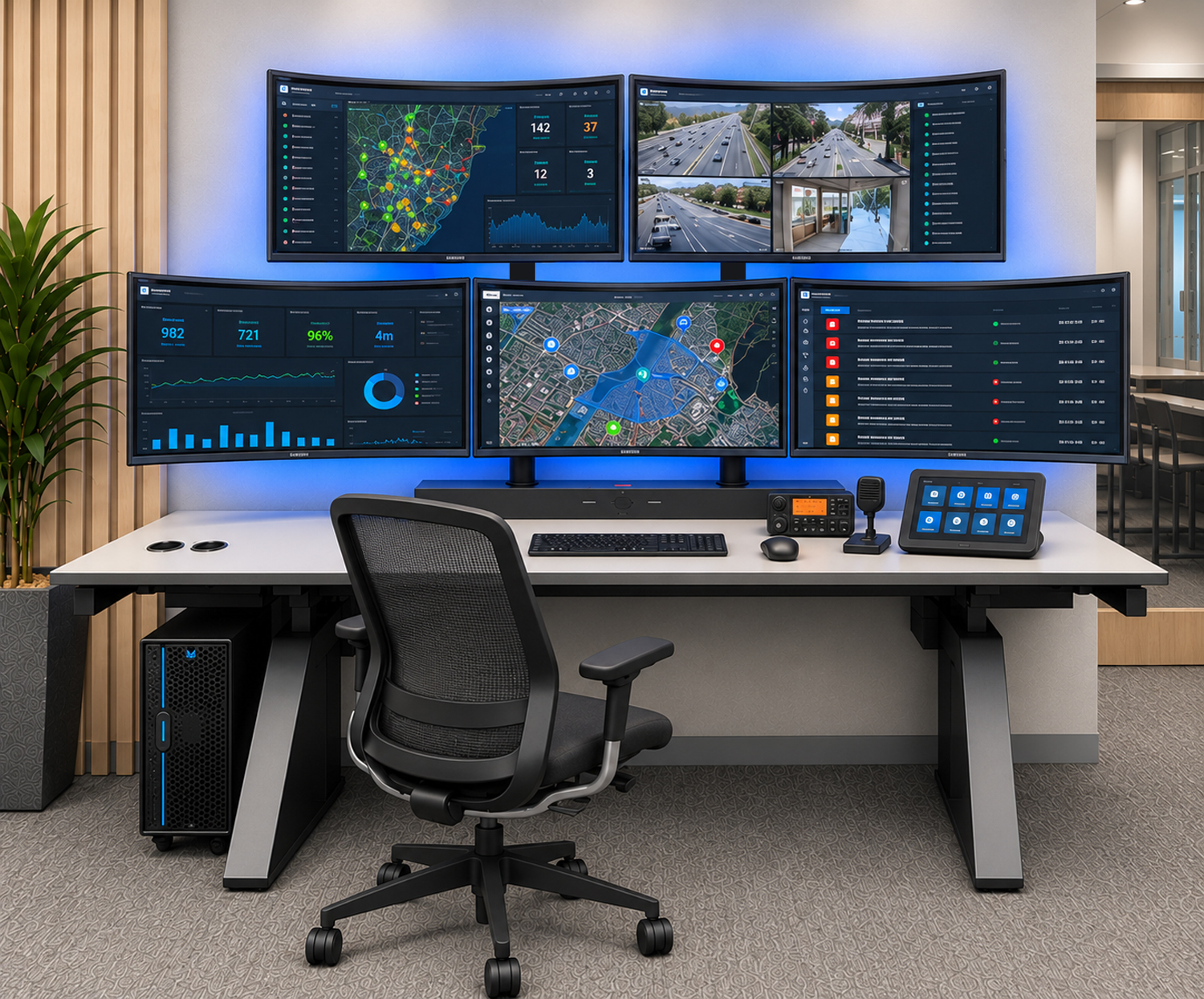
The same Evolve/RedRick console adapted to support larger touch control displays, revised monitor geometry, updated processing equipment, and additional communication controls, demonstrating how a durable ergonomic foundation can accommodate technological change without premature console replacement.
TECHNOLOGICAL DENSITY INTELLIGENTLY MANAGED
Complex Technology Demands a More Thoughtfully Engineered Ergonomic Foundation
Technological density cannot be resolved simply by enlarging the work surface or attaching equipment wherever space remains. It requires a console that establishes order among monitors, processors, devices, power, data, and cabling while preserving the ergonomic relationships that allow the operator to interact with those systems effectively throughout continuous operations.

The Evolve/RedRick console provides this foundation. Customized console geometry, integrated technology management, the exclusive ComfortView™ monitor support, structured cable pathways, and adaptable infrastructure transform numerous individual systems into one cohesive operator environment. Advanced technology remains accessible and serviceable without consuming valuable workspace, obstructing movement, or imposing unnecessary physical and cognitive demands on the operator.
Let's talk
Tell us about your project, and we will help you explore an ergonomically engineered solution that supports your present requirements while remaining adaptable to the technological and operational changes ahead.
Thank you! Your submission has been received!
Oops! Something went wrong while submitting the form.